Creating a podcast can feel like a lot of work, especially when it comes to editing. You want your show to sound good, but spending hours cleaning up audio or removing filler words isn’t always possible. Luckily, AI is stepping in to help. These tools can make your podcast sound way better without you needing to be an audio engineer. We’ve rounded up some of the best AI podcast editing software options out there, both free and paid, that can really make a difference in your production workflow.
Key Takeaways
AI podcast editing software can significantly improve audio quality by removing background noise, filler words, and other imperfections automatically.
Tools like Descript, Adobe Podcast, Podcastle, Cleanvoice, and Alitu offer various features to streamline the editing process, from transcription-based editing to voice cloning.
Many AI editing tools offer free plans or trials, making them accessible for beginners or those on a tight budget.
Paid options often provide more advanced features, higher processing limits, and better support, with prices ranging from a few dollars to around $30 per month.
Using AI in podcast editing can save considerable time and effort, allowing creators to focus more on content creation and audience engagement.
1. Descript
Descript really changes how you think about editing audio, especially for podcasts. Instead of messing around with sound waves, you work with a text transcript that’s automatically made. You edit the text, and the audio changes to match. This is a big deal for shows with a lot of talking, like interviews or narrative pieces. You can easily cut out filler words, fix mistakes, or even move whole sections around just by editing the text. It feels more like writing than traditional audio editing.
Descript’s standout feature is this text-based editing. It makes the whole process much faster and more intuitive, especially if you’re more comfortable with words than complex audio software. It also has AI tools that can really clean up your audio. For example, their “Studio Sound” feature can make a recording made in a less-than-ideal room sound like it was done in a professional studio. It also has a great filler word removal tool that can go through an entire interview and get rid of those “ums” and “ahs” in seconds.
Here’s a quick look at what Descript offers:
Text-Based Editing: Edit audio by editing the transcript.
AI Audio Cleanup: Features like “Studio Sound” and filler word removal.
Overdub: Clone your voice to easily fix spoken errors.
Transcription: Automatic generation of transcripts for your episodes.
Video Editing: Basic video editing capabilities are also included.
While Descript has a free plan that’s quite capable, it does have limits on transcription minutes and video export quality. For more extensive use, you’ll likely need to look at their paid plans, which start at a reasonable price point for individuals and teams.
Descript simplifies the editing process by treating audio like text. This approach is a significant time-saver for podcasters, allowing them to focus more on content and less on technical audio manipulation. The AI-powered features further streamline production, making professional-sounding results more accessible.
2. Adobe Podcast
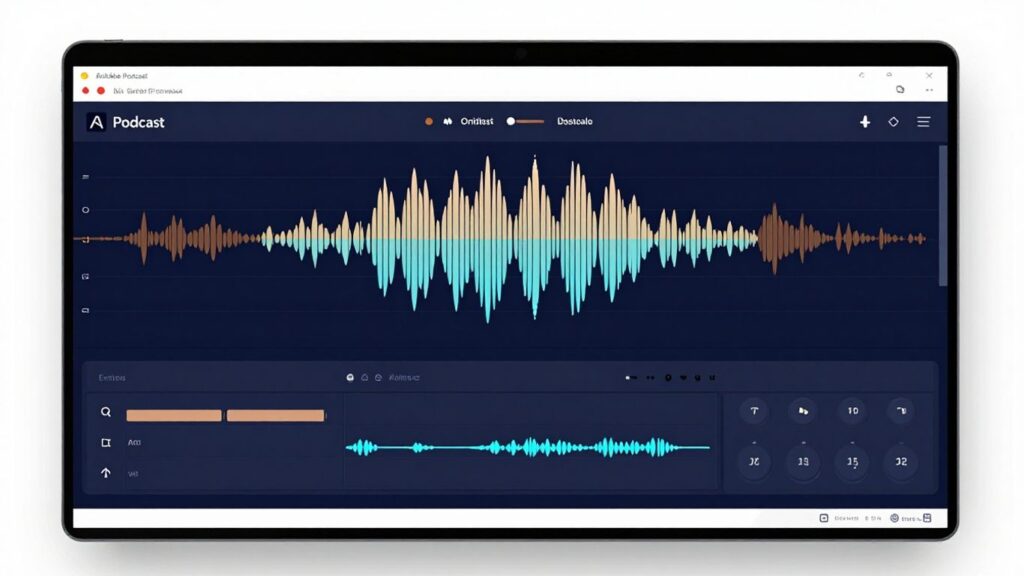
Adobe Podcast is a really interesting tool, especially if you’re looking to clean up your audio without a huge learning curve. It’s basically a suite of web-based tools that use AI to make your recordings sound much better. Think of it as a digital assistant for your audio files.
One of the standout features is called ‘Enhance Speech.’ You just upload your audio, and this AI works its magic to remove background noise, echo, and other distractions. It can genuinely salvage recordings that might otherwise be unusable, making your podcast sound like it was recorded in a professional studio, even if you’re just using a basic microphone at home. It’s pretty impressive how much difference it makes with just a single click.
Beyond just cleanup, Adobe Podcast also offers a Studio feature. This is where things get a bit more involved, but still surprisingly simple. You can record remote interviews directly within the platform, and the editing process is text-based. This means you edit your audio by simply editing the text transcript. If you’re more comfortable working with words than fiddling with audio waveforms, this is a game-changer. It makes fixing mistakes or cutting out unwanted parts of a conversation much faster.
Here’s a quick look at what it offers:
AI-powered audio enhancement: Cleans up noise and echo automatically.
Transcription-based editing: Edit audio by editing the text, which is super intuitive.
Remote recording: Record interviews with guests directly in the Studio.
Mic Check: Get advice on improving your microphone setup.
While Adobe Podcast is free to use, there are daily limits on how much audio you can process with the Enhance Speech tool. It’s a great way to get started and improve your sound quality without spending any money, but for heavy usage, you might hit those limits.
It’s a fantastic option for beginners or anyone who needs quick, effective audio improvements without getting bogged down in complex software. You can access many of these features directly through Adobe Podcast’s website.
3. Podcastle
Podcastle is another tool that uses AI to help you make your podcast sound really good, even if you’re new to editing. It’s designed to be pretty straightforward, so you can take your raw recordings and turn them into something polished without too much fuss.
One of the standout features is called Revoice. Basically, you record yourself saying a few sentences, and Podcastle can then create an audio version of your voice. This means you can type out new content, and the AI will read it in your “cloned” voice. They also have a “Text to Speech” option with over 20 AI avatars if you prefer that. It’s a neat way to add content or correct mistakes without re-recording everything.
Podcastle also has a “Quick-clicks editor.” The idea here is that editing shouldn’t take forever. You can do things like split, trim, and fade your audio files with just a few clicks. They also provide a library of royalty-free music tracks that you can easily add to your episodes to make them more interesting. You can even adjust the volume and fade them in and out.
Podcastle records each microphone separately. This gives you more control over the audio later on, which is a big help if you have multiple people talking.
They offer automatic audio transcription, which means you don’t have to pay someone to type out your episodes. Podcastle transcribes as you record. For its most premium plan, transcription is capped at 25 hours, but if you need unlimited transcription, you might look into other services. The pricing starts free, with paid plans beginning at $11.99 per month when billed annually. This makes it a pretty accessible option for many podcasters looking to improve their workflow and get better audio.
4. Cleanvoice
Cleanvoice is a specialized tool that really hones in on cleaning up audio, particularly when it comes to those little imperfections that can creep into recordings. It’s designed to make your spoken word content sound much more polished, even if you weren’t perfectly on your game during the recording session. This software excels at removing filler words and unwanted sounds.
What sets Cleanvoice apart is its ability to tackle a wide range of audio issues beyond just the common ‘ums’ and ‘ahs’. It can identify and remove mouth sounds like lip smacks and clicks, as well as stutters and even long pauses. This goes a long way in making your podcast sound more professional and easier for listeners to follow. It’s quite impressive how it can handle these details, and it even works across multiple tracks, which is a big help for interviews or group discussions. You can integrate Cleanvoice into your existing audio editor, which is a nice touch if you already have a workflow you’re comfortable with. This allows you to better evaluate the edits made by the AI.
One of its standout features is its multilingual capability. Cleanvoice isn’t limited to just English; it can remove filler sounds from languages like German and French, and it’s also adept at handling different accents, including Irish and Australian. This makes it a versatile option for a global audience.
Here’s a quick look at what it offers:
Filler Word Removal: Catches common filler words across various languages and accents.
Mouth Sound Elimination: Removes lip smacks, clicks, and other distracting mouth noises.
Stutter and Silence Reduction: Cleans up hesitations and lengthy pauses.
Multitrack Processing: Works on multiple audio files simultaneously.
Cleanvoice offers a free trial with 30 minutes of credit, and paid plans start at €10 for 10 hours of processed audio. This makes it a pretty accessible option for podcasters looking to improve their audio quality without a massive upfront investment. It’s a solid choice for anyone wanting to refine their recordings, especially if you struggle with filler words or mouth noises. You can find out more about their services on the Cleanvoice website.
The pricing structure is quite flexible, offering both subscription-based and pay-as-you-go options. This means you can choose the plan that best fits your recording frequency and budget, making it easier to manage costs as your podcast grows.
5. Alitu
Alitu is often highlighted as the go-to choice for podcasters who want to simplify the editing process, especially if you’re not keen on diving deep into technical audio adjustments. It really aims to be an all-in-one solution, handling everything from recording to publishing.
What makes Alitu stand out is its automatic processing. When you upload your raw audio, Alitu gets to work cleaning it up. This includes balancing volume levels, cutting down background noise, and applying professional-sounding effects. It’s designed to make your audio sound polished without you needing to be an audio engineer.
One of its most time-saving features is the automatic removal of filler words, long pauses, and even breath sounds. This can significantly cut down the time spent manually editing out those little imperfections. Plus, Alitu has recently added text-based editing, meaning you can edit your audio by simply editing the transcript. If you prefer not to edit text, Alitu also offers playback speed adjustments, which can help you get through listening to your recordings much faster.
Alitu also integrates with Adobe Express, allowing you to create and edit your podcast’s cover art directly within the platform. It even offers built-in hosting and can help generate draft episode titles and show notes. This makes it a pretty complete package for getting a podcast from idea to publication.
Alitu is built for speed and simplicity. If you’re a beginner or just want to get your episodes out quickly without a steep learning curve, this tool is worth a serious look. It automates a lot of the technical work so you can focus more on your content.
Alitu is priced at $38 per month, with a 7-day free trial available. While it might not offer the granular control that some advanced editors seek, its strength lies in its ease of use and the sheer amount of automation it provides.
Alitu is a fantastic tool that makes podcast editing super easy. It helps clean up your audio, remove background noise, and even balance the sound levels so everything sounds professional. It’s like having a sound engineer right there with you, but without the high cost!
Wrapping Up Your Podcast Editing Journey
So, we’ve looked at a bunch of AI tools that can really help with editing your podcast. Whether you’re just starting out and need something free, or you’re ready to invest a bit to get more features, there’s definitely an option out there for you. These tools can save you a ton of time and make your audio sound much better, which is pretty great. It’s cool how technology is making podcasting more accessible. Give a few of them a try and see which one fits best with how you work.
Frequently Asked Questions
Can AI really edit audio like a human?
Yes, AI can do a lot of audio editing tasks! It can help clean up background noise, fix mistakes, and even make your voice sound clearer. Think of it as a super helpful assistant for making your podcast sound great.
Are there free AI tools for editing podcasts?
Absolutely! Some tools offer free versions or trials, like Adobe Podcast. While they might have some limits, they’re a fantastic way to start improving your audio without spending any money.
How much do AI podcast editing tools usually cost?
The prices can vary quite a bit. Some start at just a few dollars a month, while others might be a bit more. Compared to hiring a professional editor, these AI tools are generally much more affordable.
What's the main benefit of using AI for podcast editing?
The biggest plus is saving time and effort. AI can do tedious tasks like removing filler words (‘um,’ ‘uh’) or background sounds really fast. This lets you focus more on creating awesome content.
What if I make a mistake in my recording?
Many AI tools have features like ‘Overdub’ where you can actually type in corrections, and the AI will make it sound like you said it correctly. It’s like having a magic eraser for your voice!
Which AI tool is best for beginners?
For beginners, tools like Adobe Podcast are often recommended because they are easy to use and have a simple interface. Descript is also a popular choice that offers a lot of power without being too complicated.