Editing is where most podcasts stall. Recording takes one hour. Editing takes three. For a weekly show that means 12 or more hours per month spent in an editing application, time that compounds across months and years into one of the heaviest operational costs in podcasting. The podcasters who publish consistently for years have solved this problem with a systematic workflow, not superhuman patience.
This guide covers the complete professional editing workflow, the AI tools that have fundamentally changed the time economics of podcast editing, and the specific order of operations that prevents the most common editing mistakes.
The Four-Phase Editing Workflow
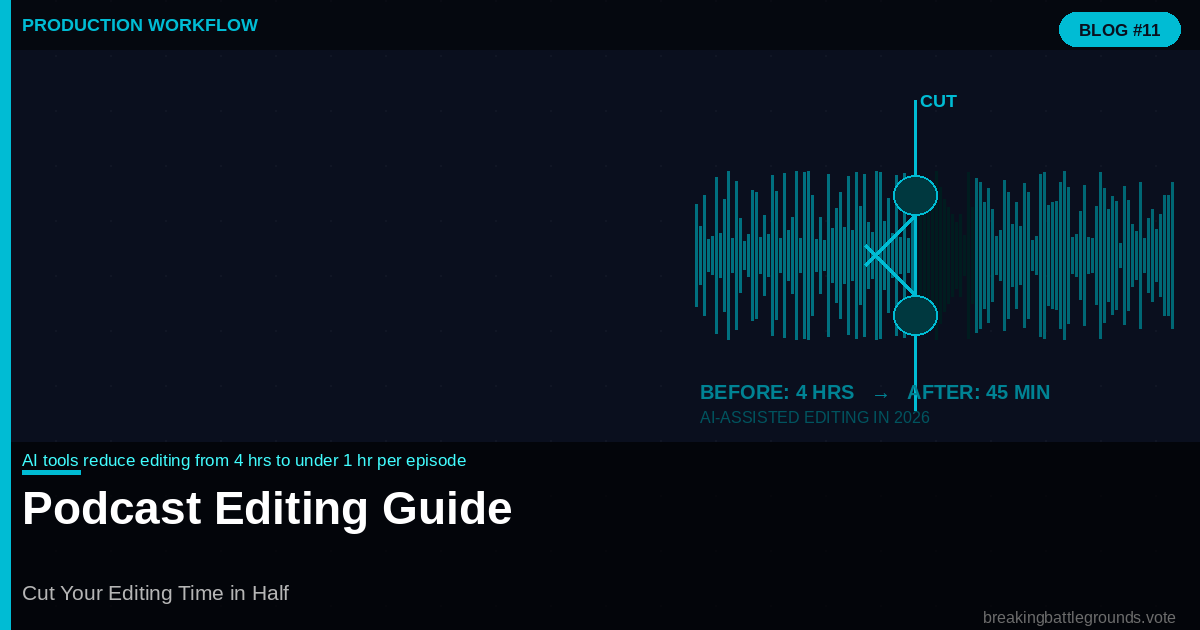
3-4 hrs Manual editing per hr of audio | 30-60 min AI-assisted editing per hr | 75% Of editing time on filler words | 2x Speed increase with keyboard shortcuts |
Phase 1: The Rough Pass (15 to 20 minutes per hour of audio)
The rough pass removes the obvious waste before fine editing begins: long silences at the start and end, clear technical failures (a guest’s phone notification, a dropped connection that produced a 10-second gap), and segments where the recording clearly failed and was restarted. This phase does not require careful listening, it requires fast scanning at 2x playback speed to identify the clear removals.
Do not attempt to catch filler words, fix pacing, or polish anything in the rough pass. Doing so during this phase is the most common cause of bloated editing times. The rough pass is surgical demolition, not renovation.
Phase 2: AI Cleanup (10 to 20 minutes)
This is where AI tools have transformed the economics of podcast editing. Descript’s Studio Sound feature removes background noise, equalizes levels between speakers, and applies broadcast-quality compression in a single click. Its filler word detection identifies every instance of ‘um,’ ‘uh,’ ‘like,’ and ‘you know’ in the transcript and marks them for removal.
Adobe Podcast’s Enhance Speech tool applies AI-powered audio enhancement that converts a recording made in a kitchen into something approaching studio quality. It handles room reverb, background hum, and inconsistent microphone levels automatically. The before-and-after comparison on recordings with any environmental noise is dramatic.
Auphonic, the free noise reduction tool, processes up to two hours of audio per month at no cost. For podcasters not yet using Descript or Adobe Podcast, Auphonic should be the first AI tool added to the workflow.
Phase 3: The Story Pass (30 to 60 minutes per hour of audio)
The story pass is where editorial decisions are made: which sections of the interview add value, which are tangential, and where the episode needs transitions or bridges. This is the most intellectually demanding phase and cannot be meaningfully accelerated by AI. It requires a human editor who understands the episode’s purpose and audience.
The story pass is best done in two playback passes at different speeds. First pass at 1.5x to identify structural problems, redundancies, and sections that don’t serve the episode’s core argument. Second pass at 1.0x to make the precise edits identified in the first pass. This two-pass approach catches the same issues in less time than a single careful 1.0x edit.
Phase 4: The Polish Pass (15 minutes)
The polish pass checks transitions between edited segments for jarring cuts, verifies the intro and outro are properly placed, confirms advertisement placements are at natural breaks, and does a final level check. This pass should take 15 minutes maximum for a 45-minute episode. If it is taking longer, the story pass was not thorough enough.
The Keyboard Shortcuts That Double Editing Speed
In Descript, the three shortcuts that provide the most time savings: J-K-L for playback control (J rewinds, K pauses, L plays, with multiple presses increasing speed), Cmd+Delete to remove selected text and its corresponding audio simultaneously, and Cmd+Shift+Space to play from the cursor without a mouse click. These three shortcuts eliminate 80 percent of mouse movements in a typical editing session.
In Audacity, the keyboard shortcut workflow that matters most: Ctrl+A to select all, Ctrl+Z to undo, the Delete key to remove selections, and the bracket keys [ and ] to set selection points during playback. These allow edit decisions to be made without stopping playback, which reduces editing time significantly versus the stop-select-delete cycle most beginners use.
When Not to Edit
The impulse to edit everything is itself an editing problem. The conversational irregularities that make podcasts feel human, the brief pause while a guest thinks, the host’s genuine laugh, the moment where a sentence has to restart, are not editing targets. Removing them makes the episode feel processed and inauthentic.
The editing standard that produces the best listener experience: remove what reduces comprehension (filler words, long silences, failed sentences) and anything that reduces the episode’s value (tangential segments, repeated points, false starts that were immediately corrected). Preserve everything that makes the conversation feel genuinely human.
Frequently Asked Questions
What is the fastest podcast editing software?
Descript is the fastest for complete podcast editing workflows, combining AI audio enhancement, transcript-based editing, filler word removal, and direct publishing in one tool. Adobe Audition is the fastest for manual editing of complex multi-track recordings. For beginners, GarageBand on Mac provides the most accessible entry point with a short learning curve.
How do I remove background noise from a podcast?
The three most effective tools for background noise removal are Adobe Podcast’s Enhance Speech (free, browser-based, excellent results), Auphonic (free for two hours per month, automatic noise reduction), and Descript’s Studio Sound feature (paid, integrated into the editing workflow). All three process recordings automatically without manual EQ or compression settings.
Should I edit out all filler words?
No. Removing all filler words creates an unnaturally perfect speech cadence that sounds robotic. Remove filler words that interrupt comprehension (clusters of three or more, or long ‘uhhhhhs’ that break sentence flow) while leaving occasional natural speech irregularities that keep the conversation feeling authentic.
How long should podcast editing take?
Manual editing takes 2 to 4 hours per hour of raw audio. AI-assisted editing with tools like Descript reduces this to 30 to 60 minutes per hour. Interview podcasts with minimal preparation require more editing time than scripted solo shows. Consistent use of the four-phase workflow described in this guide typically reduces editing time by 40 to 50 percent.
What is the best free podcast editing software?
Audacity is the best free desktop editing software, available on Windows, Mac, and Linux with a full feature set including noise reduction, multi-track recording, and export to all major audio formats. GarageBand (Mac only) is easier to use. Descript offers a free tier with limited monthly transcription minutes that is sufficient for podcasters publishing one short episode per week.