Video podcasting is no longer optional for shows that want to reach the broadest possible audience in 2026. YouTube passed Apple Podcasts as the most-used podcast consumption platform for weekly podcast listeners under 35, according to Edison Research’s Infinite Dial 2026 report. Spotify introduced video podcast capability across its platform in 2024 and reports 42 percent higher session times for video episodes versus audio-only on the same shows.
The resistance most established podcasters have to adding video is not laziness, it is the mistaken belief that video requires a professional studio, a camera operator, and $10,000 worth of equipment. It does not. This guide covers the specific equipment, setup, and workflow for adding professional-quality video to a podcast at every budget level.
Why Video Podcasting Matters More in 2026 Than It Did in 2023
33% Of weekly listeners use YouTube for podcasts | 42% Longer sessions on video vs audio-only | 3x More social shares from video clips | $300 Minimum viable video podcast setup |
The algorithmic advantage of video is significant beyond raw audience size. YouTube’s algorithm rewards watch time and click-through rate, two metrics where podcast content has a structural advantage over traditional YouTube content. A 60-minute interview episode with a senator or policy expert retains viewers who would abandon a 60-minute entertainment video. Political and educational podcast content tends to produce above-average YouTube watch time, which the algorithm rewards with increased distribution.
Additionally, video podcasts generate three to four times more shareable social media clips than audio-only episodes. A 90-second clip of a guest making a specific, quotable argument, with the host visible on screen, guest visible on screen, and the exchange captured in full, performs significantly better on X, Instagram Reels, and YouTube Shorts than an audiogram of the same content.
Camera Options at Every Budget Level
Budget Tier: $100 to $300
The iPhone 14 Pro or newer, or any Android flagship from 2023 forward, shoots 4K video at 30fps with image stabilization that rivals cameras costing ten times as much. With a good tripod, a phone mount, and a wired Lavalier microphone connected to the headphone adapter, you can launch a professional-looking video podcast for under $200 total.
The Sony ZV-1 Mark II at $248 is the purpose-built vlogging camera most recommended for budget video podcasting. Its autofocus tracks faces reliably (critical for interview formats where guests move), its flip screen makes solo framing easy, and it records clean audio from the built-in microphone as a backup.
Mid-Range Tier: $400 to $800
The Sony ZV-E10 at $400 (body only) is the most popular mirrorless camera for video podcasters at the mid-range price point. It uses Sony’s E-mount lens system, meaning a $100 Sigma 16mm f/1.4 or Sony 16-50mm kit lens produces a shallow depth of field background blur that looks genuinely cinematic. Paired with a $100 Elgato Cam Link 4K capture card, it connects to your computer for direct recording.
Professional Tier: $1,500 to $3,000
The Sony A7C II at $2,200 or the Canon EOS R8 at $1,500 represent the professional entry point. Both offer full-frame sensors (better low-light performance), professional-grade autofocus, and the ability to accept broadcast-quality lenses. For a political interview show where guests are high-profile officials who expect professional production quality, this tier is appropriate.
Lighting: The Single Biggest Visual Quality Upgrade
Lighting has more impact on video podcast quality than camera selection. A $250 camera with good lighting looks better than a $1,500 camera in bad lighting. The principles are straightforward and the gear is inexpensive relative to cameras.
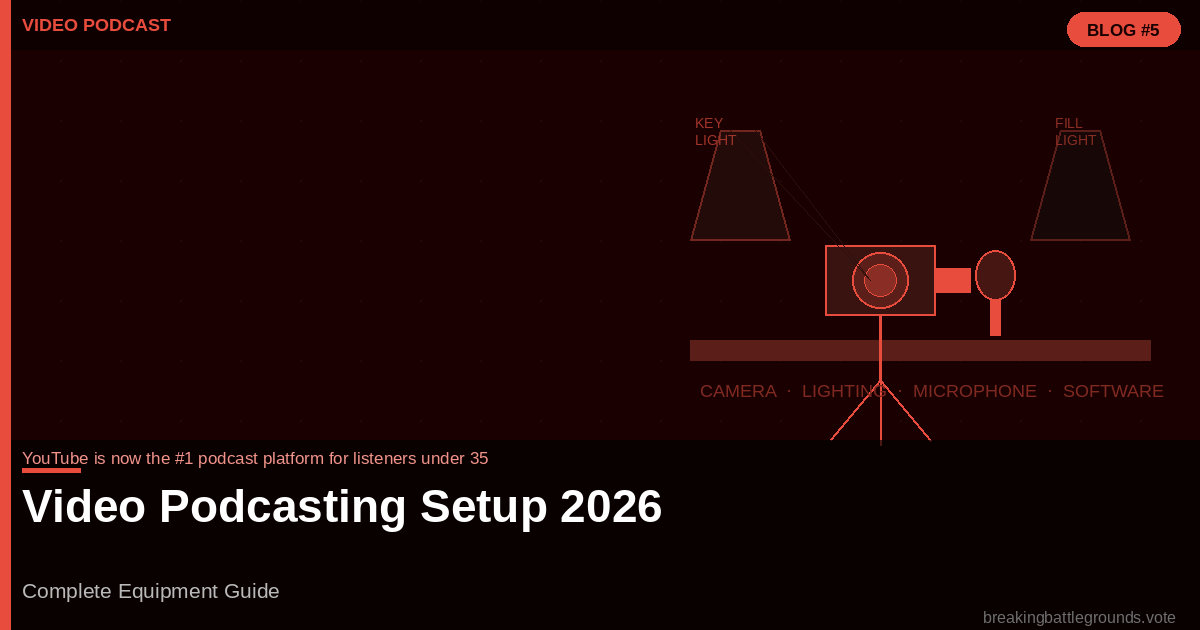
The Three-Point Lighting Setup
- Key Light — The primary light source, positioned at 45 degrees to the side of the subject’s face and slightly above eye level. A 60-watt LED softbox ($60 to $120) or an Elgato Key Light ($200) with a diffusion panel is the standard.
- Fill Light — A softer light on the opposite side of the face from the key light, at about 50 percent of the key light’s intensity. Reduces harsh shadows from the key light. A second softbox or a reflector panel ($30) works.
- Backlight / Hair Light — A light behind and above the subject that separates them from the background. Optional, but adds professional depth. A small LED panel ($40 to $80) works.
Recording Workflow for a Two-Person Interview
The most technically demanding video podcast scenario is recording a two-person in-person interview with professional quality from both cameras simultaneously. The workflow:
- Camera A (wide shot) frames both host and guest in the same frame. This is the ‘safety shot’, it is always usable.
- Camera B (tight shot) frames only the person speaking. Switching between wide and tight shots in post-production creates a dynamic visual presentation that holds viewer attention.
- Audio records separately on each person’s dedicated microphone into a recorder or directly into the editing software. Sync audio to video in post using the clapperboard function in Descript or a manual sync point.
- Record a backup audio track on the camera body’s built-in microphone. This is insurance against technical failure on the primary audio chain.
Frequently Asked Questions
Do I need a separate camera for video podcasting?
Not necessarily. A modern smartphone (iPhone 14 Pro or newer, Samsung Galaxy S23 or newer) shoots video quality sufficient for YouTube and social media clips. A dedicated camera improves image quality, provides manual control, and typically has better low-light performance, but a smartphone setup is a fully viable launch option.
What is the best free video editing software for podcasters?
DaVinci Resolve is the industry standard for professional video editing and is entirely free for the features most podcasters need. CapCut is the fastest option for social media clip creation. iMovie (Mac) handles basic editing well. Descript handles both audio and video editing with an AI-powered workflow that is faster than traditional editing for interview content.
Should I film remote interviews for video podcasting?
Yes. Riverside.fm and Squadcast both record separate high-quality video tracks from each remote participant. The host and guest each appear in their own 1080p video file, which can be edited together in a split-screen format. This is the standard for professional remote video podcasting in 2026.
How do I improve my background for video podcasting?
A clean, uncluttered background with a small amount of depth (bookshelves, plants, strategic decor) performs best. A solid-colored wall looks flat. A virtual background or green screen is obvious and looks unprofessional. The best investment is a $30 LED shelf light that illuminates whatever is on your bookshelf behind you, creating depth and visual interest.